Preset browser that feels fast
Browse factory sounds, load your own .fxp presets, keep folders organized, and jump into ideas without rebuilding the patch from zero.
One VST instrument plugin for wide FM sound design. One VST instrument plugin for focused amapiano log drum pressure. Do not stress about getting good log drum and bass sounds for Amapiano, Afrobeats, 3-Step, Afrohouse, Afrotech, Afropiano, House music and other Afro EDM styles.
 developed by Jebjosh
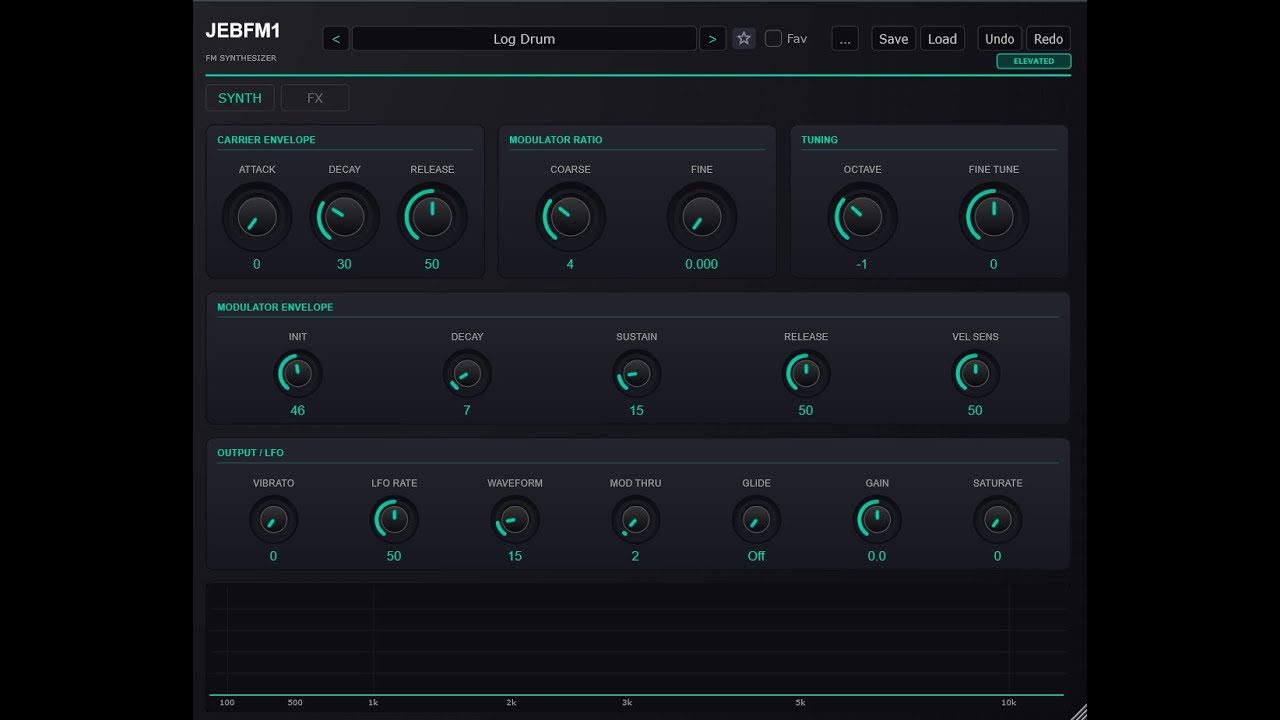
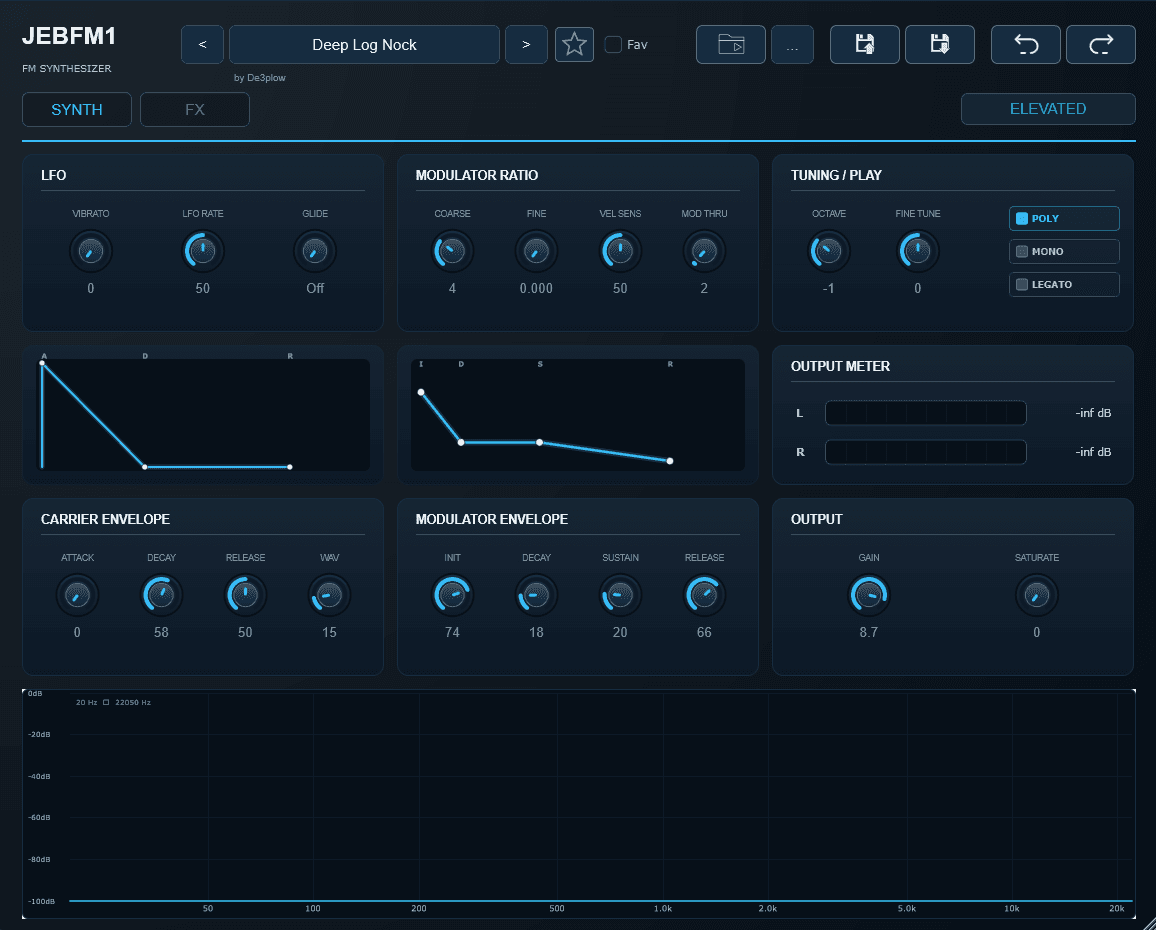
JEBFM1 was formerly called JEBDX10, JEBDX, and JEB DX10. It can do Amapiano log drums, but it is not locked to that one job. You can use it for FM bass, rubbery glides, metallic plucks, sharp keys, and weird ear-candy sounds when the beat needs more movement, Basiclly FM synthesis. Emulated from the popular Yamaha DX Synth and FL studio Fruity DX10.
Browse factory sounds, load your own .fxp presets, keep folders organized, and jump into ideas without rebuilding the patch from zero.
Make log drums, basses, metallic plucks, short keys, glide lines, and strange FM movement for Amapiano, Afrobeats, 3-Step, Afrohouse, Afrotech, and Afro EDM.
Shape sounds before they hit the DAW mixer with filter, distortion, chorus, flanger, delay, reverb, compressor, limiter, clipper, width, transient, and more.
Theme controls, engine modes, preset credits, and a clear workflow make it easier to keep a personal sound library around the synth.
developed by JebjoshAmapiano Log Drum Generator is heavy on one thing: log drums that knock. Start from a preset, hit Generate for a new variation, then use Punch, Bite, Drive, and Output to get the sound moving quickly.
It is made for producers who want the bounce first, then deeper control only when the track asks for it.
Press Generate when you need a fresh starting point, then tweak it until it sits with the beat.
Punch is the front hit, Bite is the edge, Drive adds grit, and Output sets the final level.
Go deeper with Decay, Body, Tune, Octave, Tone, Knock, Click, Attack, Weight, Air, Glide, and velocity response.
Start from named log drum and bass presets like Baki Log, Heavy Log, Seyi Vibes Log, Sub Glide, and more.
JEBFM1 is the broader modern FM synth. Amapiano Log Drum Generator is the dedicated low-end tool. DX10 Free is the stripped-down JEBDX10 legacy version with 32 factory presets for producers who want a free VST download.
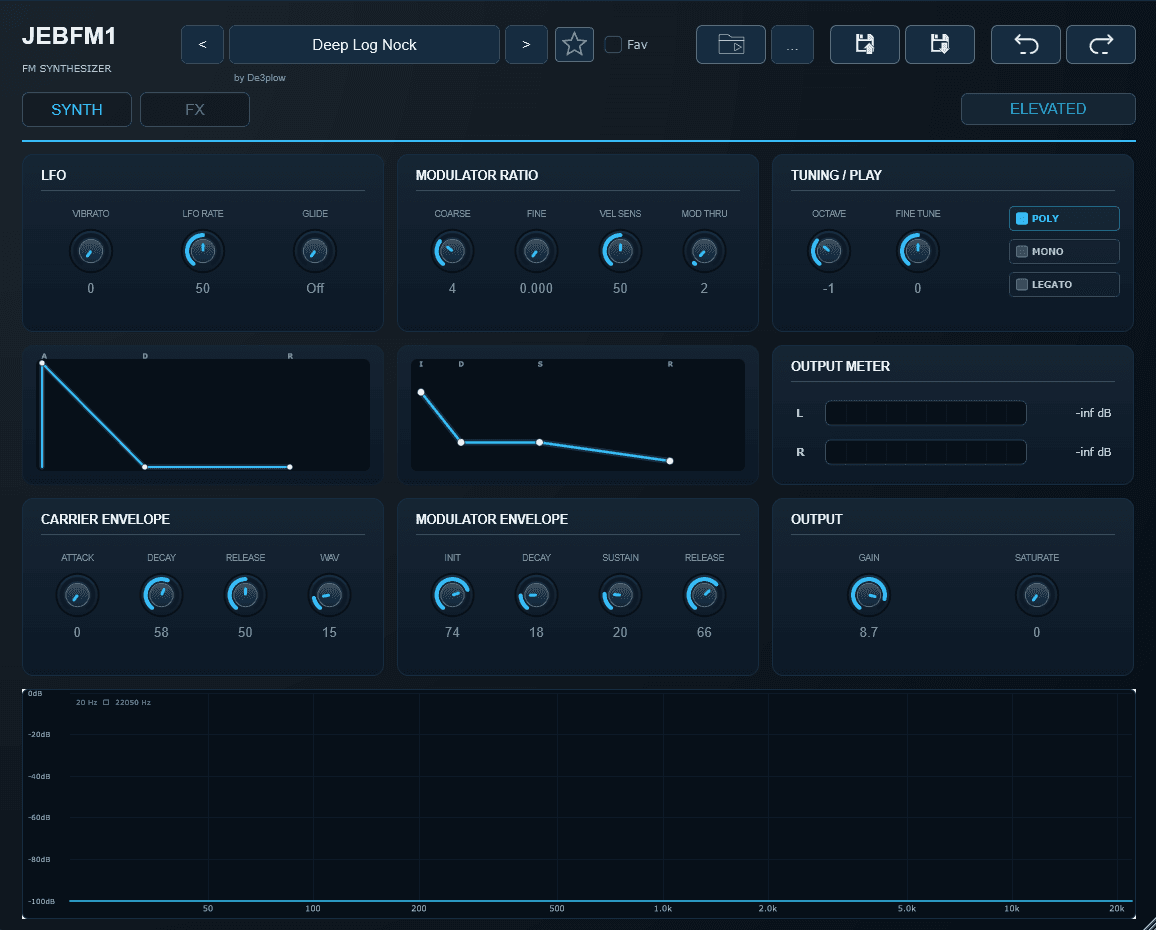
Full FM synth workflow for basses, plucks, metallic tones, effects, and presets.
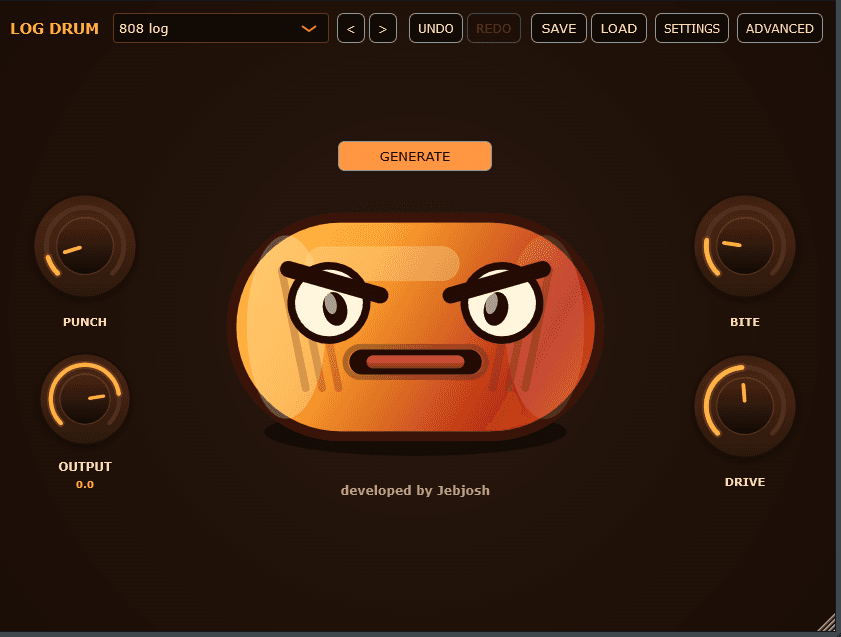
Dedicated log drum controls with Generate, Punch, Bite, Drive, and Output up front.
| Difference | JEBFM1 | Amapiano Log Drum Generator | DX10 Free |
|---|---|---|---|
| Main job | A wider FM synth for basses, plucks, keys, glides, metallic tones, and log drums. | A focused log drum instrument built around fast Amapiano low-end decisions. | A free legacy DX10-style FM synth with 32 factory presets for quick log drums, basses, and metallic ideas. |
| Best when | You want one synth that can move between several Afro electronic sounds. | You already know the track needs a log drum or bass knock quickly. | You want to try the original JEBDX10 sound and its 32 factory presets before moving into the full JEBFM1 workflow. |
| Core workflow | Browse or build an FM patch, shape the synth pages and effects, then save your sound. | Pick a preset, play the bassline, turn Punch, Bite, or Drive, then save the version. | Load one of the 32 factory presets, dial in the simple FM tone, and print the idea in your DAW. |
| Factory presets | 232+ starter sounds for fast FM ideas. | 101 factory presets for log drums and basses. | 32 factory presets come included with the free legacy synth. |
| Front-panel controls | Preset browser, synth controls, effects, themes, menus, and engine-style pages. | Generate, Punch, Bite, Drive, Output, preset controls, and focused advanced macros. | Simple synth controls without custom preset saving, undo/redo, effects, theming, or analyzer tools. |
| Sound range | Broad FM sound design for Amapiano, Afrobeats, 3-Step, Afrohouse, Afrotech, and odd textures. | Narrower by design: log drums, bass hits, knock, tone, glide, weight, and movement. | Classic DX10 emulation flavor for log drums, bass synth sounds, plucks, and sketches. |
| Current price | $25 | $15 | Free |
Swipe through the JEBFM1 plugin pages, from the preset browser to synth controls, effects, themes, and version details.
The actual plugin screens show the main performance controls, presets, theme options, and advanced macro controls.
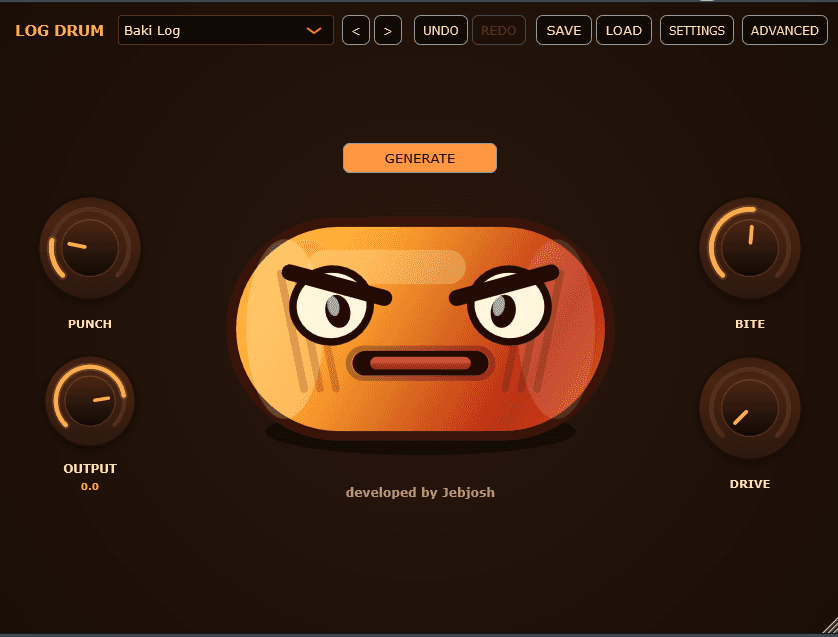
The front panel with Generate, Punch, Bite, Drive, Output, and the core log drum controls.
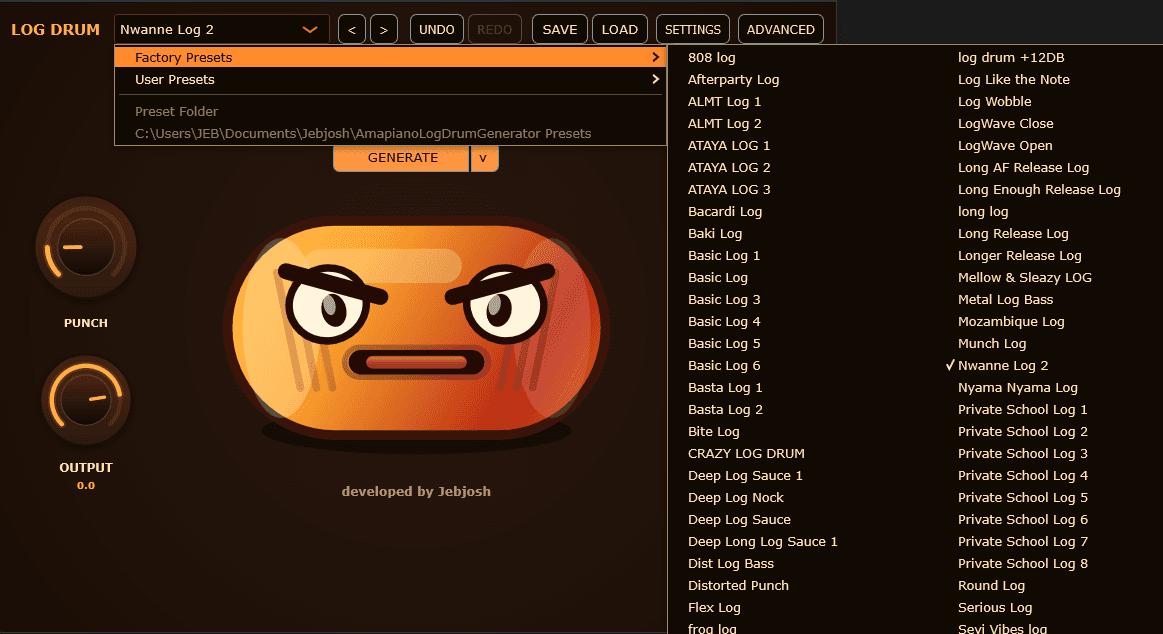
A focused preset view for jumping through log drum and bass starting points quickly.
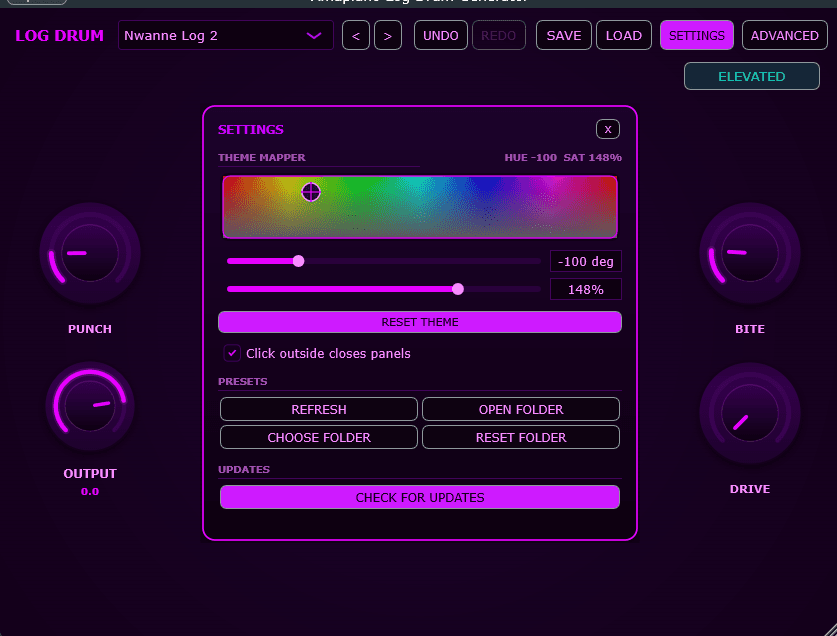
The theme screen for adjusting the look of the Amapiano Log Drum Generator UI.
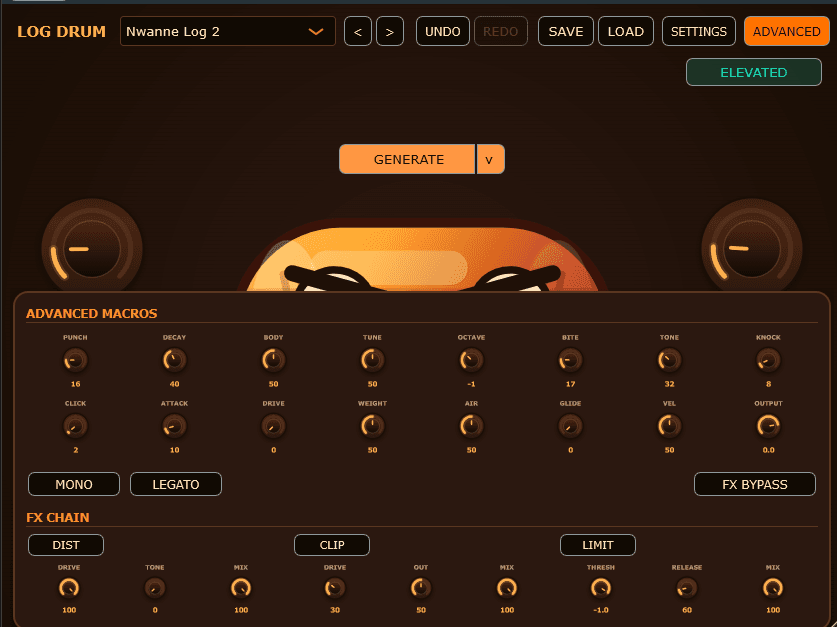
Extra macros for deeper sound shaping when the track needs more detail.
Community clips around the JEBFM1 sound. The same designers and preset language now carry into the Log Drum Generator too.
By Jebjosh
Jebjosh Demoing the Free DX10 VST
By beatsbyhcien
A producer video showing JEBFM1 in a beat-making / Amapiano log drum context.
By SC Tuts
Tutorial video linked directly to the JEBFM1 section timestamp you shared.
By Jebjosh
Tutorial video linked directly to the JEBFM1 section timestamp you shared.Using JEBFM1 and Amapiano LogDrum Generator VST
By Vesh Beats
Tutorial video linked directly to the JEBFM1 section timestamp you shared.Using JEBFM1 VST
By AbediMusic
Tutorial video linked directly to the JEBFM1 section timestamp you shared.
By Killertunes
Killertunes using the JEBFM1 / DX10 plugin. This card uses a local MP4, so it can play directly on hover with your own thumbnail.
producers already using JEBFM1, Amapiano Log Drum generator and even thr free JEB Dx10
Real session proof,feedback, and producer reactions from people putting the plugins to work.
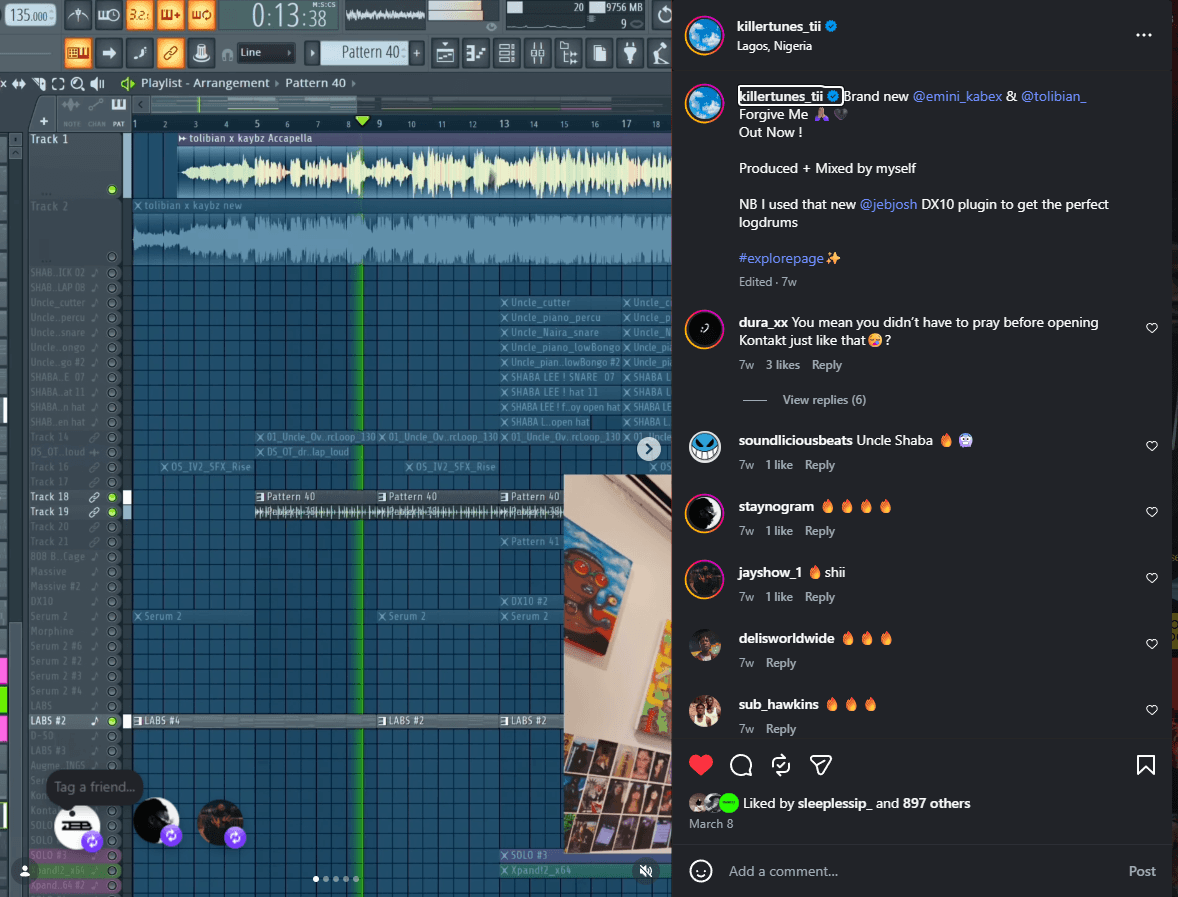
A real producer-session capture showing the JebDX10 inside a beat-making workflow.
Most of this crew shaped the JEBFM1 sound library and the log drum direction that carries into Amapiano Log Drum Generator.








@fj_okuns_ Designed sounds for the Jebjosh plugin sound library.
Factory preset designer"Sounds for the Jebjosh plugin sound library designed by FJ Okuns."
@dele_lao Designed log drum and bass sounds for the Jebjosh plugin sound library.
Factory preset designer"Log drum sounds for the Jebjosh plugin sound library."
Best value if you want JEBFM1 for broader FM sounds and Log Drum Generator for fast dedicated log drums.
Get the FM synth for presets, basses, plucks, glide lines, log drums, and deeper sound design.
Current Version: 2.0.2
Get the focused brown/orange log drum plugin for quick Punch, Bite, Drive, Generate, and presets.
Current Version: 1.0.2
Get JEBDX10, the original free DX10-style FM synth with 32 factory presets that came before the modern JEBFM1 plugin.
Current Version: 1.0 Free
Check out some of my drumkits too.
JEBFM1 was formerly called JEB DX10, DX10 is the first free version of that FM synth idea: a simple DX10-style plugin with 32 FM synth factory presets for log drums, bass synth lines, metallic plucks,and quick music production sketches.
Quick answers about DAW support, install steps, updates, discounts, demos, and choosing between JEBFM1, Amapiano Log Drum Generator, and DX10 Free.
These plugins are for producers, beatmakers, and sound designers making Amapiano, Afro House, Afrobeats, house, and electronic music who want fast FM synth tones, log drums, basses, metallic plucks, and bounce-ready ideas.
JEBFM1 and Amapiano Log Drum Generator ship as VST3 and AU, so they work in DAWs that support those formats, including FL Studio, Ableton Live, Logic Pro, GarageBand, Cubase, Studio One, REAPER, and Bitwig. Use VST3 for most DAWs and AU for Logic Pro or GarageBand on macOS.
You get download access for the plugin you choose. You get a zip file that contains the windows installer and a macOS installer for JEBFM1 and Amapiano Log Drum Generator and the DX10 Free plugin. You also get access to any future updates for that plugin for free. Make sure to keep the download link for future reference.
Download the newest build from the same product page, install it over the existing version, then restart your DAW and rescan plugins if needed. You can also check the version links in the footer to confirm the current public version.
There is not a separate timed demo version listed on this page. You can listen to the audio demos, watch the producer videos, and download DX10 Free if you want to try the older free Jebjosh FM synth first.
The plugins were developed by Jebjosh, the producer and developer behind Jebjosh Plugins.
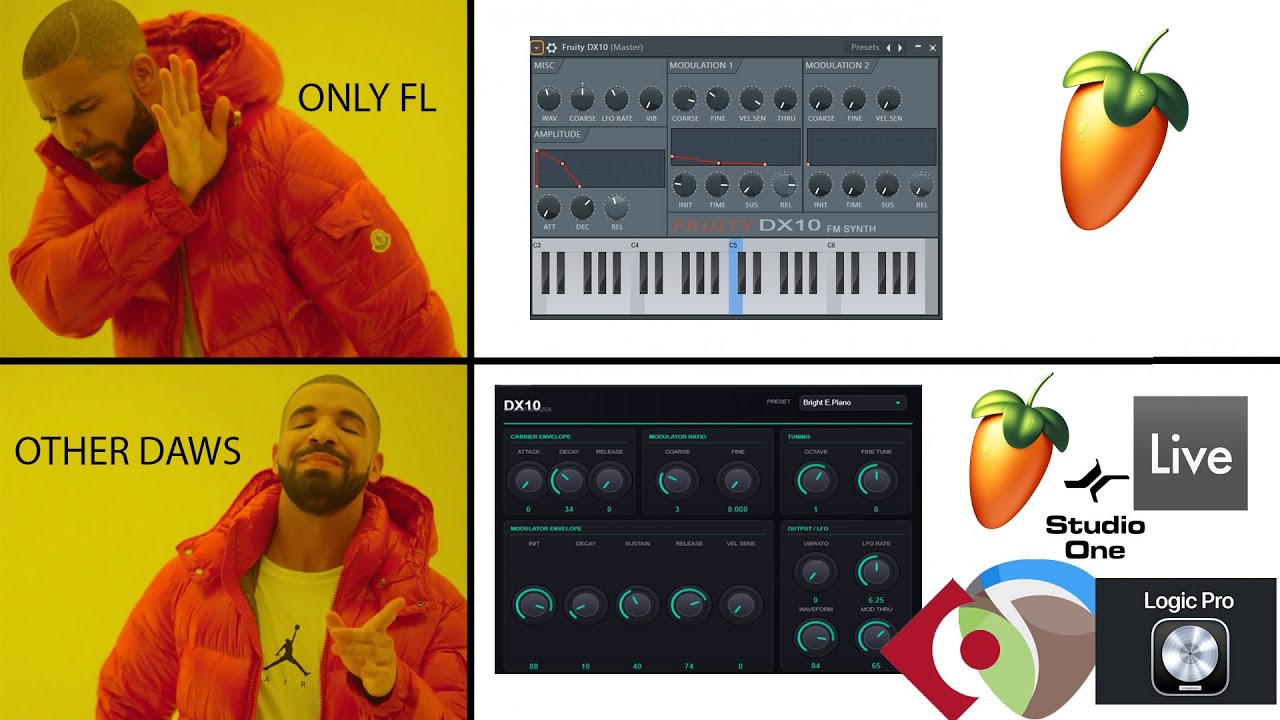
No. FL Studio is supported when you use the compatible VST format, but the plugins are not only for FL Studio. They are made for modern DAWs that support VST3 or AU.
After purchase or download, close your DAW, run the installer or copy the plugin file to your system plugin folder, then reopen your DAW and rescan plugins. On Windows, VST3 plugins usually go in C:\Program Files\Common Files\VST3. On macOS, AU plugins usually go in /Library/Audio/Plug-Ins/Components and VST3 plugins in /Library/Audio/Plug-Ins/VST3.
Choose JEBFM1 if you want the broader FM synth for logs, basses, plucks, glide lines, effects, and sound design. Choose Amapiano Log Drum Generator if you want a focused log drum plugin. Choose the bundle if you want both paid plugins. Choose DX10 Free if you want the older free starter synth.
Yes. The current lineup on this site includes JEBFM1, Amapiano Log Drum Generator, the two-plugin bundle, and DX10 Free. Jebjosh also has more soundkits and producer tools on jebjosh.com.
Current discounts are shown in the Buy section when they are available. The two-plugin bundle is the best value here and is currently listed at $30.
Use the Buy section on this page and choose the bundle, JEBFM1, or Amapiano Log Drum Generator. Each button opens the official Jebjosh checkout or product page in a new tab.
Send plugin support, checkout, install, or sound design questions directly to Jebjosh.
Compatibility notes for producers searching by plugin type, DAW, operating system, or genre workflow.