
- macOS producers using Logic Pro, Ableton Live, GarageBand, Studio One, Cubase, Bitwig, or REAPER.
- Users who need AU for Apple DAWs and VST3 for cross-platform sessions.
- Producers who want Amapiano log drums without relying only on samples.
Jebjosh Plugins macOS guide
Amapiano log drum plugin for Mac producers.
Mac producers may need AU, VST3, or both depending on the DAW. This guide explains which format to use for Amapiano log drum production on macOS.
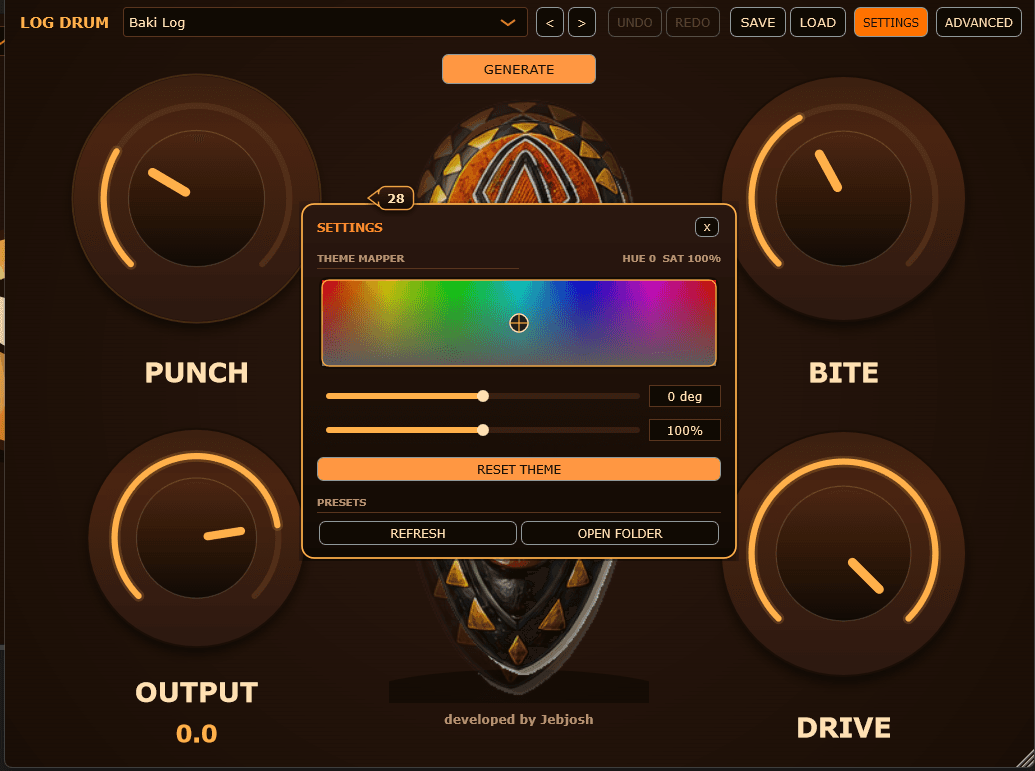
Amapiano Log Drum Generator
Log drum VST · Current version 1.0.2 · $15
Open product pageAU versus VST3 on Mac
macOS supports multiple plugin formats, but your DAW decides which one matters. Logic and GarageBand need AU. Ableton, Studio One, REAPER, Cubase, and Bitwig can use VST3 depending on your setup.
- Logic Pro: AU
- GarageBand: AU
- Ableton Live, Cubase, Studio One, Bitwig, REAPER: usually VST3 or AU depending on DAW
Mac install notes
After installing, restart your DAW and rescan plugins if the instrument does not appear. Some DAWs separate AU and VST3 folders in their browser.
- Check the DAW plugin manager or plugin browser
- Restart the DAW after installing
- Use the format your DAW expects
- Use AU for Logic Pro and GarageBand.
- Use VST3 or AU in Ableton Live on macOS.
- Use VST3 in Cubase, Bitwig, REAPER, and other VST3-friendly DAWs.
amapiano log drum vst for maclog drum vst macamapiano plugin macau log drum pluginlogic log drum plugingarageband log drum plugin
FAQ
Quick answers for this search.
Is this a Mac Amapiano plugin?
Yes, use the macOS plugin format your DAW supports, such as AU for Logic and GarageBand or VST3 for VST3-compatible DAWs.
Should Mac Ableton users use AU or VST3?
Either can work in Ableton Live on macOS. VST3 is often cleaner for cross-platform sessions, while AU fits Apple-focused plugin setups.
Why is Logic different?
Logic Pro uses Audio Units rather than VST plugins, so install and load the AU version.
More guides
All producer guides More Amapiano VST searches.
Jebjosh Plugins
Need the full Amapiano plugin setup?
Compare JEBFM1, Amapiano Log Drum Generator, the two-plugin bundle, and DX10 Free on the main page.