
- Windows users in FL Studio, Ableton Live, Cubase, Studio One, Bitwig, or REAPER.
- Producers who want a VST3 instrument for log drums.
- Beatmakers who need repeatable log drum tones inside a DAW session.
Jebjosh Plugins Windows guide
Amapiano log drum VST for Windows beatmakers.
Windows producers usually want VST3. Amapiano Log Drum Generator is built for quick log drum patterns in VST3-compatible DAWs.
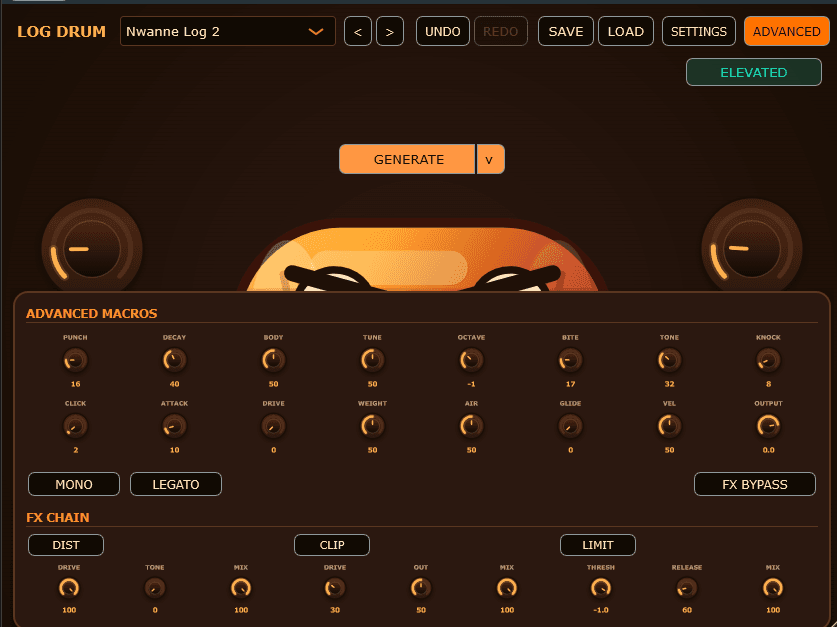
Amapiano Log Drum Generator
Log drum VST · Current version 1.0.2 · $15
Open product pageWindows VST3 workflow
On Windows, VST3 is the main format to use. After installation, most DAWs need either an automatic or manual plugin scan before the instrument appears.
- FL Studio: use Plugin Manager
- Ableton Live: check Plug-Ins settings and rescan
- Studio One, Cubase, Bitwig, REAPER: confirm VST3 scanning is enabled
Mixing log drums on Windows DAWs
The DAW does not change the low-end problem: log drums and kicks need space. Route the plugin to a mixer channel and shape the low-end before adding extra effects.
- Tune the log drum to the song
- Use EQ to control sub buildup
- Add drive carefully so the sound translates on smaller speakers
- Install the VST3, then rescan plugins in your DAW.
- Most Windows VST3 plugins install under C:\Program Files\Common Files\VST3.
- If the plugin is missing, check your DAW plugin manager and rescan paths.
amapiano log drum vst for windowslog drum vst windowswindows amapiano pluginvst3 log drum pluginfl studio log drum vstableton log drum vst windows
FAQ
Quick answers for this search.
Which plugin format should I use on Windows?
Use VST3 on Windows. It is the main format for modern Windows DAW workflows.
Where do Windows VST3 plugins usually install?
They commonly install under C:\Program Files\Common Files\VST3, though installers and DAWs can vary.
Does this work in FL Studio on Windows?
Yes. Install the VST3, rescan in FL Studio Plugin Manager, then load it as an instrument.
More guides
All producer guides More Amapiano VST searches.
Jebjosh Plugins
Need the full Amapiano plugin setup?
Compare JEBFM1, Amapiano Log Drum Generator, the two-plugin bundle, and DX10 Free on the main page.